How to Increase Ecommerce Conversion Rate: Find the Leak Before You Change the Site

Synmentis
Getting more traffic is easy to understand.
You run more ads. Publish more content. Improve your rankings. Try another channel.
But then you look at the store and see the same problem:
People are coming.
They are looking at products.
Some are adding things to their cart.
And somehow, not enough of them are buying.
So the obvious question becomes:
How do you increase your ecommerce conversion rate?
The problem is that most advice starts answering a different question.
It gives you a list of things to change:
- improve your product images
- add reviews
- make the CTA more visible
- add urgency
- simplify checkout
- offer free shipping
- run an A/B test
None of these are inherently bad.
The problem is that you don't know which one is actually holding your shoppers back.
And that changes how you should approach conversion optimization.
Start with the part of the journey that is actually leaking
Your ecommerce conversion rate is an outcome.
It tells you what happened.
It does not tell you why.
Shopify's current CRO guidance makes the same basic point: conversion optimization involves looking at friction, clarity, trust, product discovery, and the buying journey rather than relying on one isolated change.
So before changing anything, break the buying journey into a few simple stages:
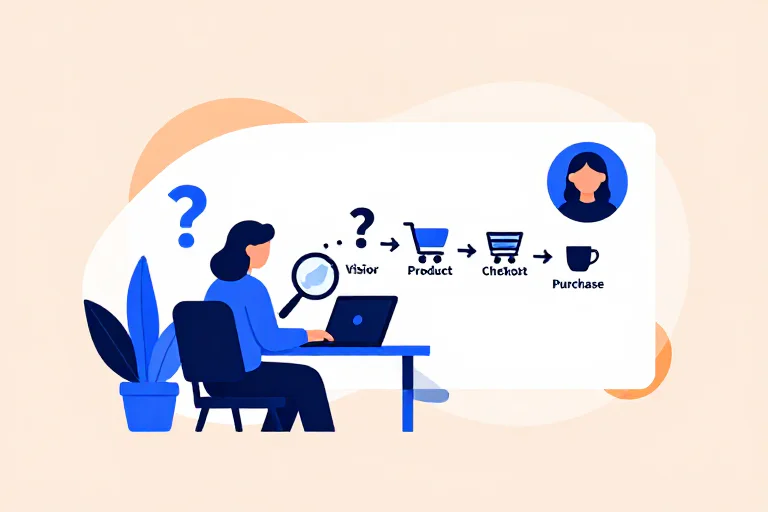
Visitor → Product → Add to cart → Checkout → Purchase
Then ask where the unusual drop is happening.
For example:
Lots of visitors, very few product interactions
You may have a traffic or landing problem.
People arrived, but the page didn't make the next step obvious enough.
That could be:
- the wrong audience
- a weak offer
- unclear positioning
- a landing page that doesn't match the ad or search intent
- a homepage that asks visitors to figure everything out themselves
Changing your checkout won't help much here.
People view products but rarely add to cart
Now the product experience becomes more interesting.
Maybe shoppers don't understand what they're buying.
Maybe the images don't answer the questions they have.
Maybe the price feels high relative to what the page communicates.
Maybe they are missing information about size, fit, materials, delivery or returns.
This is where ecommerce product page optimization becomes relevant.
People add to cart but don't start checkout
Now you're looking at a different problem.
The shopper was interested enough to put something in the cart.
But something happened between interest and commitment.
Shipping can be part of it.
The final price can be part of it.
The shopper may simply be comparing options.
Or the cart itself may not give enough confidence to continue.
This is why treating every abandoned cart as a lost sale is misleading. Recent ecommerce discussions make the same distinction: some people use the cart to check shipping, compare totals, or save something for later, while others have genuine purchase intent and leave because something went wrong.
People start checkout but don't finish
Now you have a much stronger signal.
The shopper has already moved further into the buying decision.
At this point, shipping surprises, payment problems, account requirements, missing payment methods, delivery uncertainty, or an unnecessarily difficult checkout become much more important.
Stripe and Shopify both treat checkout abandonment as a distinct problem rather than simply another version of cart abandonment.
That distinction matters because the fix depends on where the shopper stopped.
Don't start with "What should I change?"
Start with:
"What was this shopper trying to figure out?"
This is where I think a lot of conversion advice becomes too mechanical.
A report says your conversion rate is low.
The next recommendation is a bigger button.
Then another tool says you should add a countdown timer.
Then somebody tells you to put more trust badges near the CTA.
Soon the page has twenty "conversion best practices" on it.
But none of them answer the basic question:
What was the shopper worried about?
A shopper looking at a $20 product may want to know whether it is worth trying.
A shopper looking at a $300 product may want to know whether the quality justifies the price.
A shopper buying a gift may care about delivery timing.
A shopper buying clothing may be worried about fit and returns.
A shopper buying from an unfamiliar brand may simply be wondering:
"Can I trust this company?"
The same ecommerce page can therefore fail for very different reasons.
And your analytics won't necessarily tell you which one.
A low conversion rate doesn't automatically mean your store is bad
This is another trap.
Someone says:
"My ecommerce conversion rate is only 1%."
And immediately starts looking for a way to reach 3%.
But a conversion rate without context is not enough to diagnose the store.
Traffic source matters.
Product category matters.
Price matters.
Customer intent matters.
New versus returning traffic matters.
Some people are ready to buy when they arrive.
Others are still researching.
Some have seen your brand ten times.
Others have never heard of you.
Shopify's current guidance also emphasizes that conversion benchmarks vary and that the useful question is not simply whether a store sits above or below some universal number, but where the buying experience is losing people.
So I would be careful with benchmark-chasing.
The more useful question is:
Where are shoppers failing to move forward, and what are they trying to resolve at that moment?
Look for repeated hesitation, not isolated opinions
This is where actual shopper research becomes useful.
Imagine you run a furniture store.
Your product page gets plenty of traffic.
People scroll through the photos.
But add-to-cart is weak.
You could make ten changes.
Or you could watch several different shoppers experience the same page.
One says:
"I can't tell how big this actually is."
Another says:
"I like it, but I don't know if the color will look like this in my room."
Another says:
"I'd probably compare it with something else first."
Now you have something much more useful than "conversion is low."
You have hesitation.
And if multiple shoppers arrive at different times and independently run into the same hesitation, it starts becoming a pattern.
That is much easier to act on.
This is also why "just use A/B testing" is incomplete
A/B testing tells you whether version A or B performed differently.
That's useful.
But it doesn't magically tell you what you should test next.
You still need a reason for the experiment.
Otherwise you end up testing small visual changes forever.
Button color.
Headline wording.
Image position.
Padding.
Popup timing.
Meanwhile, the actual issue might be that nobody understands the product.
Or they don't trust the delivery promise.
Or the price looks wrong because the value hasn't been explained.
Or the store is attracting people who were never likely to buy.
The difficult part of conversion optimization is often not running the test.
It's finding a test worth running.
A better ecommerce conversion optimization loop
A useful loop looks more like this:
Observe → Find hesitation → Form a hypothesis → Change the experience → Observe again
Not:
See low conversion → Copy five CRO tips → Hope
That first loop also works when you don't have huge amounts of traffic.
You don't need tens of thousands of sessions to notice that several shoppers cannot answer a basic question.
You can combine:
- analytics
- customer conversations
- support questions
- reviews
- session recordings
- real shopper observations
- checkout behavior
- product-page behavior
The important part is that you're not treating any one signal as the complete truth.
A number tells you where to look.
A shopper experience helps explain what is happening there.
What I would check first
When an ecommerce conversion rate looks weak, I would work through the journey in this order:
1. Is the traffic actually relevant?
Before touching the website, check what kind of people are arriving.
A store can have excellent traffic numbers and terrible conversion because the visitors aren't a good match for the offer.
2. Can a new shopper understand the product quickly?
Don't assume that because you understand your product, a first-time visitor does too.
Look at the first few moments of the product experience.
Can they tell:
- what it is
- who it is for
- why they should care
- how much it costs
- what happens after they buy
3. What makes the shopper hesitate?
This is usually where the useful research starts.
Don't ask only:
"Why didn't they buy?"
Ask:
"What were they still unsure about when they left?"
That's a much easier question for a shopper to answer.
4. Where does hesitation become abandonment?
If people are interested but don't add to cart, the product experience deserves attention.
If they add to cart but don't start checkout, look at price, shipping and purchase confidence.
If they start checkout and leave, inspect the checkout itself.
The location of the drop changes the diagnosis.
5. Did the change actually solve the problem?
Once you make a change, go back and observe the experience again.
A conversion improvement is great.
But understanding why it improved is even more useful because it gives you something you can reuse elsewhere.
This is the part I think AI can actually help with
You can ask AI to summarize your analytics.
That's already common.
You can ask it to generate ten CRO ideas.
Also common.
The more interesting question is whether AI can experience the store from different shopper perspectives.
A shopper who cares about price behaves differently from one who cares about quality.
A first-time visitor behaves differently from someone who already knows your brand.
Someone buying a gift has different questions from someone buying for themselves.
That's the direction we're taking with Synmentis.
Instead of starting with:
"Here are ten things wrong with your website."
The idea is to let different AI shoppers actually go through the buying experience and show you where they hesitate, what they are trying to understand, and where the journey starts to break down.
That gives you something much closer to a research conversation than a generic website audit.
And once you make a change, you can run the experience again.
You don't have to keep guessing whether the page became easier to buy from.
The goal isn't to make every visitor buy
This matters more than most CRO checklists suggest.
Some people simply aren't going to buy.
Some are comparing.
Some are researching.
Some are too early.
Some don't want the product.
That's normal.
The goal of ecommerce conversion optimization isn't to force every visitor through checkout.
It's to make the buying experience clearer for the people who are genuinely considering the purchase.
That means fewer unnecessary questions.
Less confusion.
Less hesitation that your store created itself.
And a clearer path for someone who already wants what you're selling.
That's a much more useful way to think about conversion rate optimization than trying to squeeze another decimal point out of a dashboard.
Related research